Spin GIF Maker
Free. No watermark. No sign-up.
Example spinning GIF
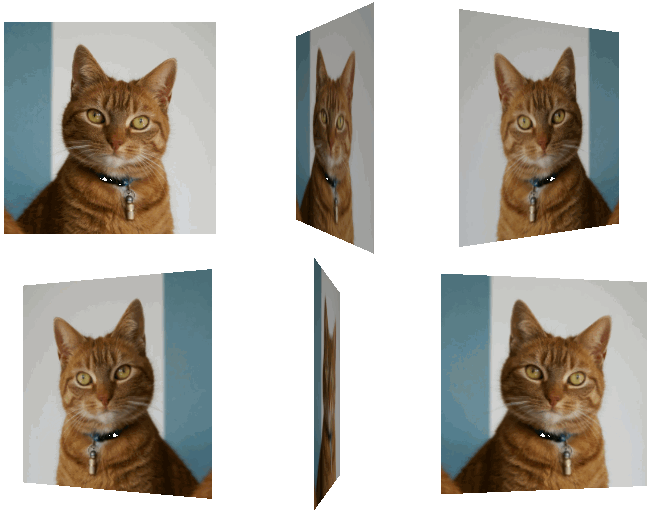
How to make an image spin
- Press Choose image and pick a picture.
- Pick a mode: Flat spin or 3D turn.
- Set the direction, the speed and the size.
- Press Download GIF.
Flat spin and 3D turn
Flat spin rotates the picture like a wheel, a full 360 degrees.
3D turn rotates it around its vertical axis, like a coin spinning on a table. You see the front, then the mirrored back. The near edge looks a little taller than the far one, and the picture darkens slightly as it turns away.
Spin settings
Direction is clockwise or counterclockwise. In a 3D turn that is the direction as seen from above.
Speed is how long one full turn takes, from 3 seconds down to about 0.4.
Size is the longest side of the GIF: 128, 256, 384 or 480 px. A flat spin is always a square.
Transparent background is on by default, so the spinning GIF sits cleanly on any page or chat. Turn it off to pick a solid color.
What to make with a GIF spinner
A rotating logo for a website or a stream. A spinning emoji for Discord or Slack, at 128 px. A spinning coin, wheel or planet from a round PNG. A loading spinner from any icon.
Which pictures spin best
Round pictures with the background removed look best in a flat spin. The picture is sized so nothing gets cut off as it rotates, so a square photo comes out smaller than a round cutout at the same size.