Magic 8 Ball GIF Generator
Free. No watermark. No sign-up.
Example magic 8 ball GIF
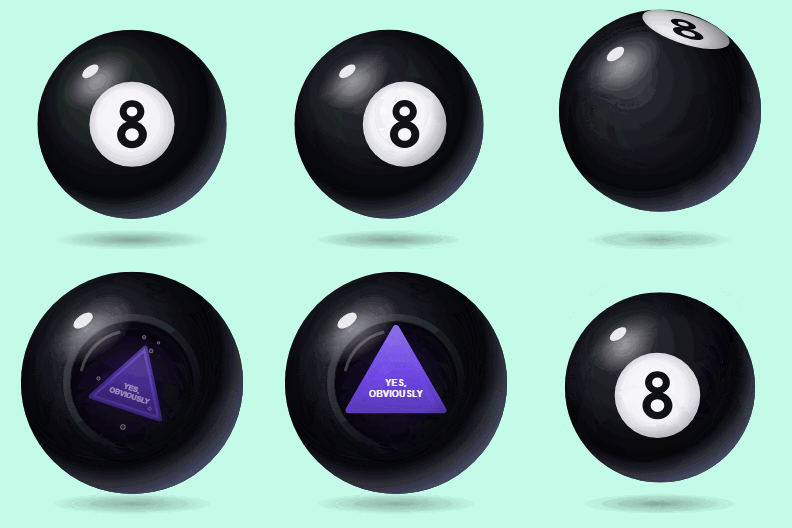
How to make a magic 8 ball GIF
- Type your answer in the Answer box.
- Pick the Triangle color and the Text color.
- Pick a Background color, or turn on Transparent background.
- Press Download GIF.
The ball sits still, gets a shake and turns over. The 8 slides away, the round window comes into view, and a triangle floats up out of the dark liquid with your answer on it. The answer stays up for almost three seconds, then the ball turns back to the 8 and the GIF starts again. It is 480 px square and runs about five and a half seconds.
Magic 8 ball settings
Answer takes up to 40 characters. It is written in capitals and sized to fit the triangle, so a short answer comes out big and a longer one wraps onto more lines in smaller letters.
Triangle color starts blue. The liquid around the triangle takes a dark shade of the same color.
Text color is the color of the answer. White reads well on most triangle colors.
Background is the color behind the ball, which casts a soft shadow on it. Turn on Transparent background to keep only the ball, so it sits cleanly on any chat or page.
Magic 8 ball answers to try
Write the answer you want someone to get: "Yes, obviously", "Not a chance", "Ask your mom" or "Pizza tonight". Send it as the reply to a yes-or-no question in a group chat, to tease a friend who keeps asking the same thing, or to share a decision you have already made.
Two to four words are easiest to read. Six or seven still fit, but the letters get small.