Pride PFP Maker
Free. No watermark. No sign-up.
Example pride PFP
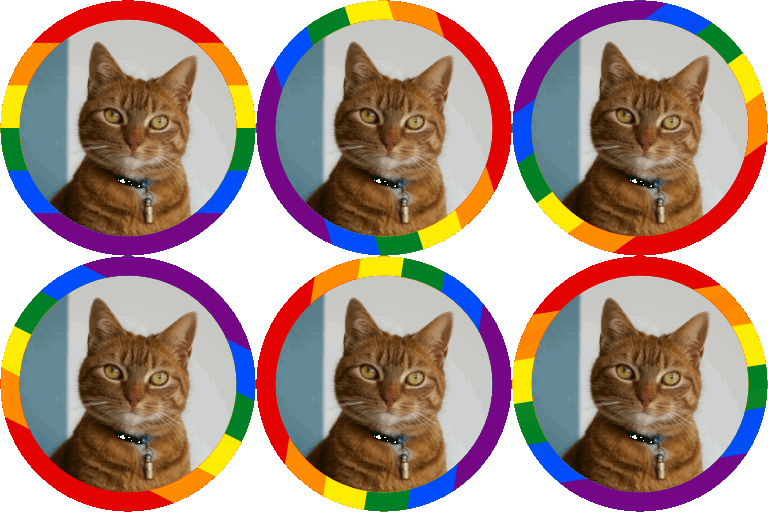
How to make a pride PFP
- Press Choose image and pick a picture or a GIF.
- Pick a Flag, and a Second flag if you want two.
- Move Zoom, Horizontal position and Vertical position until your face sits in the circle.
- Press the Download button.
Pride PFP settings
Second flag splits the ring down the middle: the first flag on the left, the second on the right.
Ring style: Across lays the flag over the ring, stripes running across. Around gives each stripe a slice of the ring, going round from the top.
Ring width runs from 5 to 30 percent of the way from the edge to the middle.
Zoom enlarges the picture inside the circle, and Horizontal position and Vertical position move it.
Spin the ring turns the ring in a loop and saves a GIF. Without it, a still picture saves as a PNG.
Size is 256, 512 or 1024 px square.
Pride PFP flags
Rainbow, Progress Pride, Transgender, Bisexual, Pansexual, Nonbinary, Lesbian, Gay men, Asexual, Aromantic, Genderfluid, Genderqueer, Agender, Polysexual and Intersex. Progress Pride and Intersex always run across, and the intersex circle goes round the middle of the ring.
What to put in a pride PFP
A selfie, a pet, your avatar or a drawing. A GIF keeps moving inside the ring. Outside the ring is see-through.
Pride PFP limits
GIFs have no half see-through pixels, so a GIF's ring edge is rougher than a PNG's. A spinning ring often makes a GIF of a few MB at 512 px.
GIF uploads are scaled down to 1000 px on the long side and thinned to 300 frames at most, or fewer for long, large GIFs.